
A Tiny GPT Helper I Want to Share
Handy browser extension that adds one-click LaTeX copying and a timeline navigator to ChatGPT-style chats.
I keep math-heavy conversations with GPT open all day, so I am constantly copying inline and display equations or jumping back to earlier turns. This Chrome extension, AI Chat Timeline & Interaction Helper, makes both tasks much easier.
👉 Grab it here: Chrome Web Store – AI Chat Timeline & Interaction Helper
Why it is useful
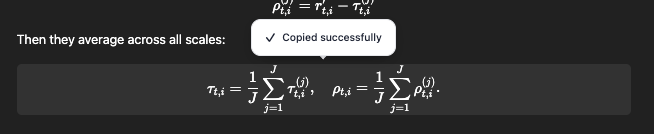
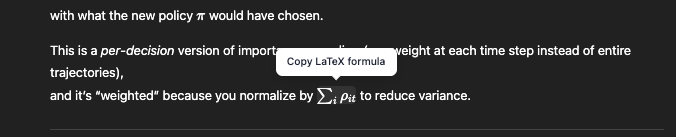
- One-click LaTeX copying. The plugin parses each response, detects inline vs. display math, and gives you dedicated buttons to copy the exact LaTeX chunk without reformatting.
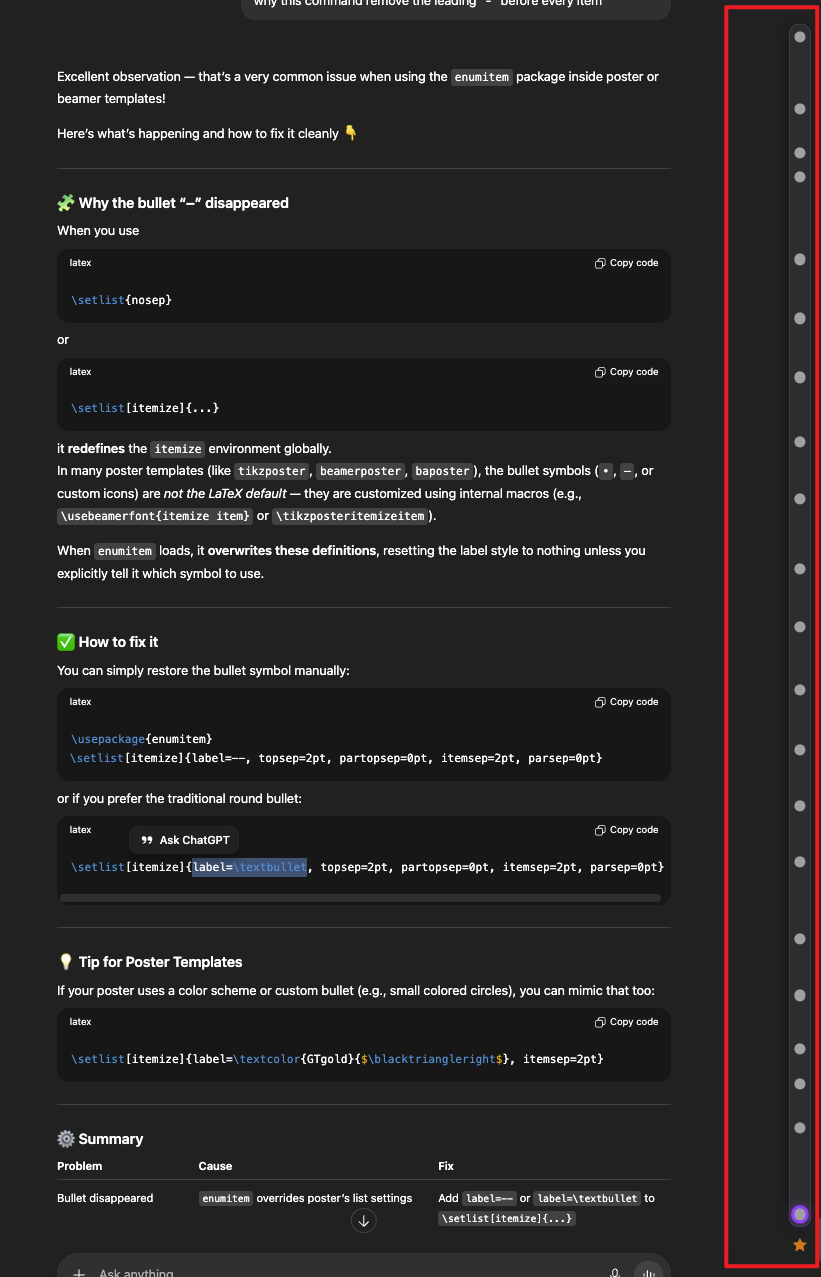
- Interactive conversation timeline. Every prompt/response pair becomes a point on a horizontal timeline, so rewinding to a previous idea is as easy as clicking that node.
- Pinned favorites. You can mark any turn; pinned items become quick shortcuts when the thread gets long.
Screenshots
Copy buttons for display-style equations
Inline LaTeX copy button
Timeline view of the entire dialogue
If you rely on GPT (or Gemini, DeepSeek, etc.) for derivations or long discussions, this plugin is a gentle timesaver. Let me know if you try it or have alternatives I should test!